
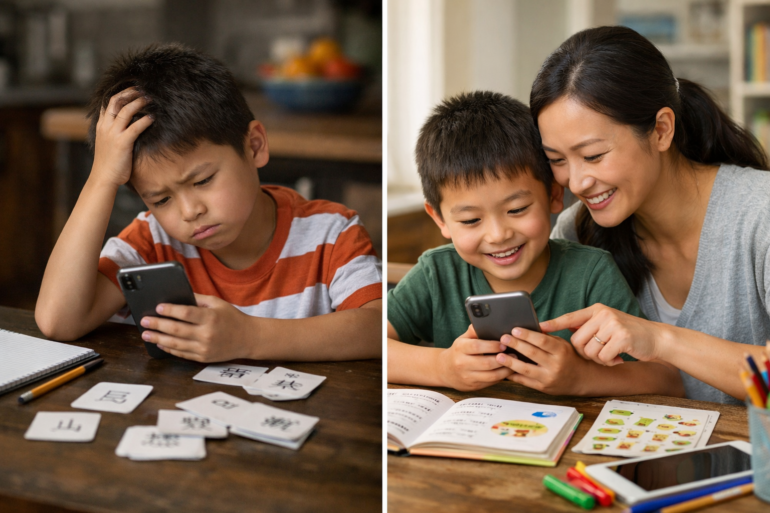

Key Takeaways
- Test independent use early. A kids chinese language iphone app should let a young child move through at least one short session with minimal parent rescue, clear audio cues, and simple home screen navigation.
- Ignore star ratings at first. App Store reviews can point to patterns, but the better test for a kids chinese language iphone app is whether lessons build logically and your child repeats useful Chinese out loud during the 7-day trial.
- Check for spoken language practice, not just tapping. The best kids language learning apps for home use include strong listening support, repetition, and chances to hear Mandarin from more than one voice.
- Use a 5-day checklist before the trial ends. Track whether the iphone app shows age fit, progress reports, printable practice, and a routine your homeschool can actually keep.
- Read the privacy note before you commit. A kids chinese language iphone app for early learners should be ad-free, clear about data collection, and easy to manage across your iPhone, phone settings, and any paired family devices.
- Match the app to your week, not the store category. If the language app works as a quick companion to worksheets, songs, and short review blocks at home, it has a better chance of sticking after the trial.
Seven days is barely enough time to decide whether a new math curriculum deserves shelf space, yet that’s the window most families get to judge a kids chinese language iphone app before the charge hits. For homeschooling parents, that’s not a small choice. It’s screen time, budget, lesson flow, and one more tool that either earns a place in the week—or gets ignored by day eight.
App Store ratings don’t settle the question. A 4.8-star score can hide the stuff that actually matters at home: whether a five-year-old can use the app without constant rescue, whether the audio gives real Mandarin exposure instead of random tapping, whether progress tracking shows anything useful after a short session. And on iPhone, a polished store page can make almost any app look stronger than it is.
That’s the trap. Parents see cheerful graphics, quick reviews, a free trial, and promises about language learning—then realize too late that the child loved the animations but learned three isolated words and no usable phrases. In practice, the best early-learning apps reveal themselves fast if a parent knows where to look. Not in the marketing copy. In the first few sessions—where independence, repetition, tone awareness, and simple routine fit start to tell the truth.
Why parents are searching for a kids chinese language iphone app right now
Here’s the twist: a seven-day trial often reveals more than 500 app store reviews. For homeschooling families, a kids chinese language iphone app isn’t a casual download from the store; it’s a home learning tool that has to earn its place fast—on an iphone, a tablet, or the spare phone used during quiet work.
What commercial search intent looks like for homeschooling families
Commercial intent at home looks practical, not flashy. Parents comparing the best mandarin learning app for kids iphone are usually checking three things: whether a child will play without constant assist, whether lessons fit a 10-minute session, and whether progress is visible in notes or settings rather than left as guesswork.
They’re also weighing age fit. A chinese learning app for preschoolers ios has to work for early learners who can’t read long instructions yet.
Why the 7-day trial window matters more than app store star ratings
Star ratings can mislead. A 4.8 score doesn’t show whether the app is ad-free, whether updates break routine, or whether the child keeps taking turns after day three. In practice, families learn more by testing an ad-free mandarin app for kids ios across five short sessions. Fast. Real.
How iPhone and Google Play habits shape buying decisions at home
And that’s exactly why cross-device habits matter. One parent may browse Google Play on desktop, another may check iphone reviews at home, but both want a learn chinese for kids app iphone with games that feels simple, paired to family routine, and worth keeping past trial week.
One more filter: can a kids mandarin vocabulary app for iphone hold attention without turning practice into noise? That’s the real buying test—far more than star ratings, quick screenshots, or untitled review blurbs.
This is the part people underestimate.
Start with age fit: can this kids chinese language iphone app work without constant parent rescue?
At 8:10 a.m., a parent hands over the iphone, opens the app, and steps back. Three minutes later, the child is still in play mode—not stuck on a store prompt, a settings wall, or a reading-heavy home screen. That’s the first test. A strong kids chinese language iphone app should let a young learner move from tap to task with almost no adult assist.
Signs the app is built for early learners, not older readers
Look for audio-led directions, big visual cues, and short rounds. If the app feels like a desktop tool shrunk onto a phone, skip it. A true chinese learning app for preschoolers ios should work before a child can read notes, menus, or updates.
Parents comparing options often want the best mandarin learning app for kids iphone, but the honest filter is simple: can the child start, respond, and finish one activity alone?
How to test independent use in one 10-minute session on your phone
- Start one quick session.
- Stay silent for 10 minutes.
- Note every rescue: taps, paired logins, unclear icons.
If a learn chinese for kids app iphone with games needs four parent interventions in one session, it’s not built for early independence.
Simple idea. Harder to get right than it sounds.
What to check in settings, learner profiles, and home screen navigation
- Settings: ad controls, sound, review access
- Learner profiles: separate progress at home
- Home screen: one-tap return to the next lesson
An ad-free mandarin app for kids ios removes one big distraction. And a clear kids mandarin vocabulary app for iphone should make navigation feel simple—even for a four-year-old.
A good kids chinese language iphone app should teach spoken Chinese, not just tapping
Think of this like checking the App Store with a smart friend over coffee: a strong kids chinese language iphone app should build listening and speaking in every session, not just reward fast tapping. Ratings and reviews can help, sure, but parents need to look past star counts, settings menus, and what’s new updates.
How to spot real Mandarin listening practice inside games
Real listening practice sounds varied. In a good game, a child hears the same word from more than one voice, then matches meaning through play at home on an iphone or even a paired phone. That’s why a chinese learning app for preschoolers ios should include quick prompts, simple directions, and repeated audio tied to actions.
- Look for 3 things: native-speed audio, picture support, and review loops.
- Skip apps that act like procreate for flashcards—pretty, but silent.
What speaking activities should look like before voice tools fully arrive
Even before speech tools fully arrive, a learn chinese for kids app iphone with games should cue children to repeat aloud, pause, then hear the phrase again—clear, direct, useful. The best mandarin learning app for kids iphone won’t hide speaking behind passive play.
Why tone awareness, repetition, and audio variety matter in early language learning
Mandarin tones change meaning. One note off, and mā becomes mǎ. So an ad-free mandarin app for kids ios should recycle high-frequency words 5 to 7 times per activity, with playful contrast and no noisy clutter. For parents comparing a kids mandarin vocabulary app for iphone, that’s the real test.
App Store reviews can help—but they also hide the details that matter most
Star ratings alone are a weak filter.
- Read the three-star reviews first. They usually say more than glowing praise or angry one-star posts. For a kids chinese language iphone app, those middle reviews often mention session length, whether a child can play without constant parent assist, and if updates changed the home flow or settings.
- Look for age-specific detail. A useful review names the child’s age, attention span, and whether the app fits preschool routines. That matters more than “best app ever.” Parents comparing the best mandarin learning app for kids iphone should trust reviews that mention actual learning, not just cute graphics.
- Watch for pattern complaints. If 6 out of 10 recent reviews mention login bugs, sound issues on iphone, or broken progress after a store update, that’s not random—it’s a signal. Short five-star blurbs posted in a rush can hide that.
Which ratings and reviews are actually useful for evaluating kids language learning apps
The strongest reviews mention vocabulary recall, speaking attempts, and whether the app keeps a quick 10-minute play session focused. A parent weighing a chinese learning app for preschoolers ios or a kids mandarin vocabulary app for iphone should favor notes with specifics.
Red flags in review patterns, update complaints, and rushed five-star feedback
Be wary of repeated praise with no detail—same rhythm, same claims, same tone. And if reviews complain that a learn chinese for kids app iphone with games became harder after updates, pay attention.
What the App Store privacy note can reveal before you hit download
The privacy note matters. Before downloading an ad-free mandarin app for kids ios, check whether data is collected, shared, or linked to the child’s phone use (that small note says a lot).
No shortcuts here — this step actually counts.
Test the learning design before the trial ends, not after
Wait.
Seven days feels generous on the App Store, but for a homeschooling parent testing a kids chinese language iphone app, it disappears after two distracted sessions — one weekend. The answer is to audit the learning design fast, on purpose.
A simple 5-day trial checklist for homeschooling parents
Use one 10-minute session a day on the iphone or a paired home phone, then write quick notes.
- Day 1: check setup, settings, and whether audio directions let a child play without adult decoding.
- Day 2: watch if review appears before new words.
- Day 3: test speaking, listening, and tapping balance.
- Day 4: print one worksheet as a companion task.
- Day 5: open progress reports and compare them with what the child can actually say.
How to tell if lessons build in a real sequence instead of random play
A good best mandarin learning app for kids iphone should introduce 3 to 5 words, repeat them in games, then bring them back in a new session. If a chinese learning app for preschoolers ios feels like random play, that’s a red flag.
Most guides gloss over this. Don’t.
What progress tracking should show after each session
Progress should show more than stars or reviews. An ad-free mandarin app for kids ios needs clear signs of growth—words practiced, accuracy, time in session, — what needs review next.
When printable practice becomes a better companion than more screen time
Sometimes paper works better. A learn chinese for kids app iphone with games should lead naturally into tracing, matching, or cut-and-sort work; that’s where a kids mandarin vocabulary app for iphone proves it can teach, not just entertain.
Privacy, ads, and device setup deserve a hard look on iPhone
Wondering if privacy and setup checks really matter before a trial ends? They do—and for a kids chinese language iphone app, they matter almost as much as the lessons themselves.
What to check in app privacy, permissions, and data collection notes
Start in the App Store listing. Read the privacy notes, check what data is collected, and look at permissions before tapping allow. If a chinese learning app for preschoolers ios wants microphone, photos, contacts, or location without a clear reason, that’s a red flag.
- Check microphone use for speaking practice
- Review whether data is linked to the child
- Note if settings mention third-party ads or tracking
Parents looking for the best mandarin learning app for kids iphone should treat privacy labels like progress reports. Quick scan first. Then a closer look.
Why ad-free design matters more for young children than flashy updates
Flashy updates don’t help if a child gets pulled out of a 7-minute session by banners, pop-ups, or store prompts. An ad-free mandarin app for kids ios keeps attention on language, not random clicks—weather, dating, google play prompts, even odd companion links that have nothing to do with learning.
And that’s where most mistakes happen.
That calm design works better. Especially for ages 3 to 8.
How paired devices, desktop access, and family sharing affect daily use at home
Daily use breaks fast when one phone holds all the progress. Check whether the learn chinese for kids app iphone with games works on paired devices, saves notes across home devices, or offers desktop access for parents tracking reviews — session history.
A strong kids mandarin vocabulary app for iphone should make switching between iPhone and tablet simple—not messy, not hidden in settings, not lost after updates.
The best kids chinese language iphone app fits your homeschool routine—not just the app store category
Here’s the surprise: families often learn more from 10-minute practice blocks, four times a week, than from one 40-minute Saturday session. That matters when choosing a kids chinese language iphone app, because the App Store store ranking, glossy reviews, and five-star ratings won’t tell a parent whether the pace fits real life at home.
How to match session length to your child’s attention span
For preschool and early elementary learners, a quick session usually works best—5 to 8 minutes for ages 3 to 5, and 8 to 12 minutes for ages 6 to 8. A parent comparing the chinese learning app for preschoolers ios with the best mandarin learning app for kids iphone should check whether the app lets a child play, pause, and return without losing progress or notes.
Where worksheets, songs, and quick review fit into your weekly plan
The strongest routine mixes screen practice with offline review. A kids mandarin vocabulary app for iphone works better when families pair it with:
- 2 app sessions for new words
- 1 song review during car or home time
- 1 worksheet for tracing or matching
That’s where a learn chinese for kids app iphone with games can assist—especially if it keeps the language playful, not heavy.
What most families miss when comparing one app store listing to another
They compare features, not follow-through. An ad-free mandarin app for kids ios may look simple on a phone, but what matters is whether it includes worksheets, quick review, clear settings, — progress checks—those small supports are the real companion to a homeschool plan.
FAQ: common questions parents ask before choosing a kids chinese language iphone app
A parent starts a 7-day trial on Monday.
By Thursday, the child is tapping through games, earning star rewards, and asking for one more session on the phone at home. Good sign—but it isn’t the whole story.
During a short trial, the goal is fit, not fluency.
A strong kids chinese language iphone app should show clear attention, repeatable play, and at least a few words spoken without prompting.
How much progress should a child make during a 7-day trial?
In practice, three markers matter most:
- Day 2–3: the child can follow the app flow without constant assist.
- Day 4–5: 5 to 10 words stick—colors, animals, food.
- Day 6–7: one short phrase gets repeated during play or off-screen.
If reviews look glowing in the App Store, note this: engagement is useful, but spoken recall is the better test.
Is an iPhone app enough, or should parents also check Google Play and web access?
Check the iphone store listing, Google Play, and any desktop or web link. Paired households often switch devices, and updates, settings, or progress notes can get messy fast.
Not complicated — just easy to overlook.
A parent comparing the chinese learning app for preschoolers ios with a web companion should look for synced progress and simple access.
What if a child likes the games but isn’t speaking Chinese yet?
That happens. A learn chinese for kids app iphone with games can still work if adults add quick echo practice—10 seconds after each round, not a full lesson.
Studycat has noted that young learners often need repeated listening before speech shows up.
Which features matter more than reviews, rankings, or what’s new?
Three features win: speech practice, progress tracking, and an ad-free setup. The ad-free mandarin app for kids ios, a best mandarin learning app for kids iphone, or a kids mandarin vocabulary app for iphone should make taking notes easy: what was learned, what was skipped, what got repeated.
What is the best kids Chinese language iPhone app for beginners?
The best kids Chinese language iPhone app for beginners is one that teaches through short, playful lessons and clear audio, not long explanations. For young children, the strongest apps in the App Store usually focus on listening, repeating, and simple vocabulary before reading or writing. If an app feels like a quiz on a phone, most kids won’t stick with it.
Are Chinese learning apps for kids actually effective?
Yes—if the app gets children to hear and use the language often. A good Chinese learning app builds progress through frequent 5- to 10-minute session blocks, repeated words in new contexts, and speaking practice, not just tapping. Reviews can look great in the store, but daily use matters more than star ratings alone.
What should parents look for in a kids Chinese language iPhone app?
Start with five things: age fit, clear pronunciation, structured progress, printable companion resources for home practice, and privacy settings that make sense. It also helps if the app works across iPhone and Android, since plenty of families switch between Apple, Google Play, and whatever device is closest to the couch at home. And yes, progress notes matter—you want proof your child is learning, not just playing.
Is a kids Chinese language iPhone app better than flashcards or worksheets?
Usually, it’s better as a starting point because sound matters so much in Chinese language learning. Tones, rhythm, and listening practice are hard to teach with static cards alone, though worksheets and quick review pages still help with handwriting and word recall. The strongest setup is a paired one: app for speaking and listening, printables for offline practice.
Can children learn Mandarin on an iPhone without a fluent parent helping?
They can, up to a point. A well-designed Mandarin app can guide a child through vocabulary, listening, and repetition without constant adult assist, which is a big deal for homeschooling parents who aren’t fluent themselves. Still, children make faster progress when an adult does simple follow-up at home—asking them to say two new words, share what they learned, or replay one quick activity.
The data backs this up, again and again.
Are there kids Chinese apps with speaking practice on iPhone?
Some do offer speaking features, and that’s where things get more useful. The better apps move past tap-only play and ask children to repeat words aloud, which helps with pronunciation and confidence. Before downloading, check the App Store information page, recent updates, and reviews to see whether voice features work well for your child’s age.
How long should a child use a Chinese learning app each day?
Short is better. For most preschool and early elementary learners, one 10-minute session on an iPhone works better than a 30-minute push that ends in resistance. In practice, four or five quick sessions a week usually beat one big lesson every Sunday—and parents can actually keep that routine going.
Do kids Chinese language iPhone apps teach reading and writing too?
Some do, but not all—and that difference matters. Plenty of apps begin with listening — speaking, which is the right move for young children, then add tracing, character recognition, or simple writing tasks later as a companion skill. If handwriting is a goal, check the store listing carefully instead of assuming the app covers it.
Are free Chinese apps for kids worth trying first?
Yes, as a test run. A free version can show whether your child likes the teaching style, whether the lessons feel simple enough to use independently, and whether the app fits your homeschool routine before you pay through the App Store. Just don’t judge the full learning experience from one tiny sample—free tiers are often limited.
How can parents tell if a kids Chinese language iPhone app is working?
Look for three clear signs: your child remembers words between sessions, starts using Chinese outside the app, and can handle review activities with less help. Good apps also include progress tracking, weekly notes, or skill reports so parents aren’t left guessing. If six weeks pass and your child is still only tapping random icons, it isn’t working.
A seven-day trial tells a family far more than an App Store rating ever will—if they test the right things. The strongest signal isn’t flashy animation or a pile of five-star reviews. It’s whether a child can move through the app with very little adult rescue, hear clear Mandarin often enough to notice patterns, and return the next day ready to do it again. That’s the real standard.
For homeschooling families, a good kids chinese language iphone app also has to fit life at home, not just look good on a product page. Progress tracking should show something useful after short sessions. Printables, songs, and repeatable practice should support the week’s routine instead of adding more screen clutter. And privacy checks matter—especially for younger learners who don’t need ads, distractions, or confusing permissions getting in the way.
The next step is simple: before the trial ends, set aside 15 minutes tonight and run one final check. Watch the child use the app alone, review the progress report, scan the privacy notes, and decide based on what happened in the room—not what the listing promised.
For more great reading, visit our site and explore related topics.